Understanding the MV88 Microphone
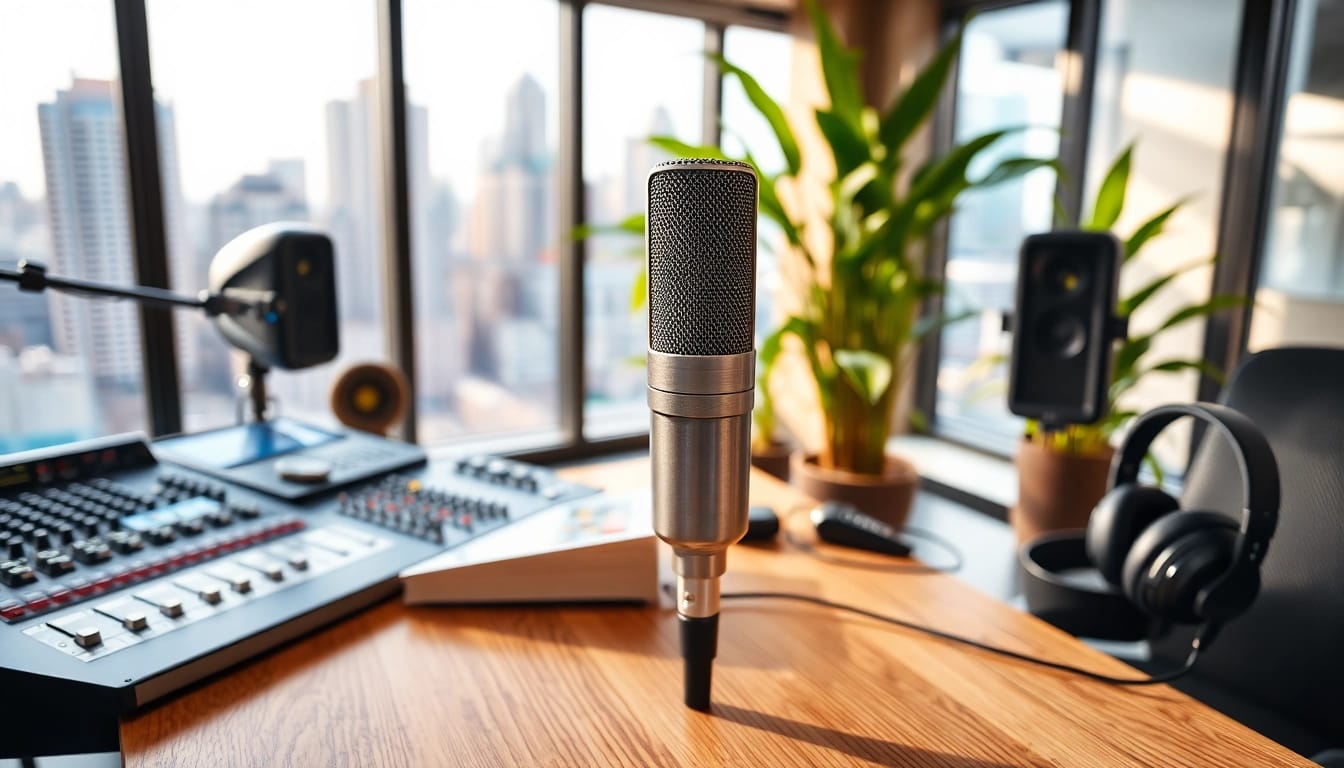
The MV88 microphone, developed by Shure, is a cutting-edge tool designed for mobile recording and sound capture that seamlessly integrates with iOS devices. Unlike other microphones on the market, this compact and portable microphone converts sound waves into high-quality audio with clarity and precision, making it a go-to choice for podcasters, musicians, and content creators. With the ability to connect easily to smartphones and tablets, the MV88 stands out as a professional microphone that promises reliability and superior sound quality for various applications. As you explore further, you'll discover how to leverage this incredible tool to maximize your recording potential.
Key Features and Specifications
The MV88 comes with a host of features that cater to both amateur and professional users. Here are some of its key specifications:
- Capsule Type: Mid-side (M-S) stereo capsule
- Frequency Response: 20 Hz to 20 kHz
- Sample Rate: Up to 48 kHz
- Bit Depth: 24-bit
- Direct Connectivity: Lightning connector compatible with iOS devices
- Built-in headphone output: Allows for real-time monitoring
- On-board DSP: Includes presets for different recording situations, such as speech, music, and flat response
- Compact Design: Lightweight and portable for easy transportation
These features make the MV88 an attractive option for anyone looking to record high-quality audio on the go. Its versatile capabilities cater to a wide range of recording situations, providing a professional touch even when recording on mobile devices.
Comparative Analysis with Other Microphones
When evaluating the MV88, it's essential to consider how it stacks up against other microphones in its category. Competing devices often fall short in areas such as connectivity, sound quality, and flexibility. For example, standard USB microphones may excel in sound fidelity but limit recording options to computers only. On the other hand, various handheld digital recorders can capture excellent quality but often require additional equipment for mobile use.
Some noteworthy competitors include the Rode VideoMic Me and the Audio-Technica ATR3350. While these microphones are effective, they lack several of the MV88's advanced features, such as real-time monitoring through a headphone output and adjustable recording settings. Additionally, the MV88’s lightweight design and iOS compatibility allow it to maintain a strong edge in portability and user-friendliness.
Recommended Use Cases
The MV88 is suitable for a variety of use cases, making it an excellent tool for both professionals and hobbyists. Here are several recommended scenarios:
- Podcasts: The MV88 captures clear and accurate audio, making it an ideal choice for hosting or guesting on podcasts.
- Music Production: Musicians can use this microphone to record vocals, instruments, and live performances with studio-quality sound.
- Field Recording: Whether documenting sounds in nature or capturing live events, the MV88 is versatile enough for spontaneous recording.
- Video Production: Content creators can use it to enhance audio quality in videos, making it easier to engage their audience through crisp sound.
- Interviews: The directional capabilities of the MV88 allow it to effectively capture dialogue in one-on-one interviews or group discussions.
With its robust design and advanced features, the MV88 is perfect for any setting where high-quality audio is required, proving to be a valuable tool for capturing sound in diverse environments.
Setting Up Your MV88 Microphone
Setting up the MV88 is straightforward, allowing you to start recording in no time. Its design ensures compatibility with a variety of devices, making it user-friendly even for beginners.
Connecting to Your Devices
To connect your MV88 to an iOS device, simply plug it into the Lightning port. The microphone is compatible with both iPhones and iPads, and the connection supports the full functionality of the microphone. Once connected, you will typically need to download the MV88 app or any other compatible recording application to access advanced settings and features. This app allows users to experiment with various recording modes, gain settings, and presets that enhance audio quality based on the recording environment.
Choosing Optimal Locations for Recording
Location plays a crucial role in the quality of your recordings. Opt for environments that minimize unwanted noise, such as quiet rooms or outdoor settings with minimal background disturbance. To enhance sound capture:
- Avoid hard surfaces that can cause echoes.
- Utilize blankets or soft furnishings to absorb sound reflections.
- Consider the direction of sound sources and adjust the microphone accordingly to focus on the desired audio.
Experiment with different locations to discover what works best for your specific recording needs, and don't hesitate to physically test the settings to achieve optimal results.
Adjusting Settings for Best Performance
To ensure that your MV88 delivers the best sound quality, adjust its settings according to your recording scenario:
- Gain Level: Adjust the gain level in the app to avoid distortion during loud sound capture.
- EQ Settings: Utilize the built-in equalization settings to tailor the sound profile for your specific needs. Options may include vocal boosts, filtering background noise, or enhancing bass.
- Monitoring: Use the headphone output to monitor your audio in real-time. This feature allows you to make adjustments on-the-fly and ensure everything sounds as expected.
By fine-tuning these settings, you ensure that your recordings capture the highest sound quality possible.
Best Practices for Recording with the MV88
Maximizing the performance of your MV88 microphone involves understanding and utilizing best practices for capturing sound effectively. Here are some expert tips to achieve high sound quality.
Techniques for Achieving High Sound Quality
Achieving high-quality audio with the MV88 isn't just about the hardware—it's also about the techniques used during recording. Consider these strategies:
- Microphone Placement: Position the microphone at an appropriate distance from the sound source, typically 6-12 inches, depending on the loudness of the source.
- Aim for Direct Sound: Ensure the microphone is pointed directly at the sound source to capture the clearest audio.
- Use Pop Filters: For vocal recordings, employ a pop filter to reduce plosives and breathing sounds.
Incorporating these techniques can vastly improve the quality of your recordings and ensure your audio is professional-grade.
Managing Background Noise
Background noise can be a significant barrier to achieving great audio quality. To manage and minimize this interference, try these methods:
- Select Quiet Environments: Recording in a controlled environment helps eliminate unexpected noises.
- Proper Microphone Direction: Point the microphone away from noise sources such as fans, air conditioning, or bustling environments.
- Use Windshields: If recording outdoors, use a windscreen to separate wind noise from the captured audio.
These practices not only enhance the sound but also improve listener engagement by providing clean, professional audio output.
Maintaining Microphone Health
To ensure your MV88 microphone continues to perform optimally, regular maintenance is essential. Follow these guidelines:
- Cleaning: Wipe the microphone with a soft, dry cloth to remove dust and debris. Avoid using harsh chemicals that could damage the components.
- Storage: Store the microphone in a protective case to prevent physical damage when not in use.
- Check Connections: Ensure that the Lightning connector is free from debris to maintain a stable connection.
By treating your MV88 with care, you ensure its longevity and reliability in all your recording endeavors.
Editing and Post-Production Tips
Post-production is where recorded audio can be polished and improved. Here are some valuable techniques to enhance your audio using various software tools.
Software Recommendations for Audio Editing
Choosing the right audio editing software is crucial for post-production work. Here are some popular choices suitable for different users:
- GarageBand: A free option for Mac users, ideal for music production and podcast editing.
- Audacity: Open-source and widely-used, Audacity works across different platforms and provides extensive editing capabilities.
- Adobe Audition: A professional-grade tool for advanced editing and sound restoration.
Regardless of your choice, these applications offer powerful tools that can greatly enhance your final audio output.
Enhancing Audio with Effects and Filters
Audio effects and filters can elevate the quality of your recordings. Consider applying:
- Compression: Helps even out audio levels, bringing softer sounds up and capping louder sounds.
- Reverb: Can add a sense of space to vocals or instruments, simulating various environments.
- Noise Reduction: This is vital for cleaning up any unwanted background noise captured during recording.
Experimenting with these effects allows you to create tailored soundscapes that resonate with your intended audience.
Exporting and Sharing Your Final Product
After editing, exporting your audio in the right format is essential. Common formats include WAV for high fidelity and MP3 for easier sharing. When preparing to share your audio, ensure:
- Quality settings are optimal for your intended platform.
- Consider adding tags or descriptions for better discoverability if you’re publishing on podcasts or streaming platforms.
- Test the audio on different devices to ensure it translates well across various playback systems.
Following these tips ensures that your final product meets professional standards and is ready for distribution.
Case Studies: Successful Projects Using the MV88
Understanding how others have successfully utilized the MV88 can provide valuable insights. Here are some notable projects showcasing the MV88's capabilities.
Podcasts that Stand Out
The MV88 has gained recognition among podcast hosts for its high-quality recording abilities. For example, the popular podcast "Sound Opinions" uses the MV88 for on-the-go interviews and live recordings. The ability to adjust settings based on the podcast's environment allows for consistently excellent sound quality that enhances listener experience.
Music Albums Recorded with the MV88
Several independent musicians have turned to the MV88 to record entire albums. Indie artist Sarah Murphy utilized the MV88 during her travels, allowing for spontaneous song creation without sacrificing sound quality. The ease of editing and portability keeps her workflow efficient, enabling creativity without boundaries.
User Experiences and Testimonials
User feedback has generally been enthusiastic regarding the MV88's performance. Many praise its ability to capture clear audio, even in challenging environments. Testimonials highlight its effectiveness in casual settings, such as family gatherings and travel, demonstrating its adaptability for both personal and professional use.
In conclusion, the MV88 microphone offers a blend of versatility, high-quality recording capabilities, and ease of use that makes it a great choice for creators in various fields. By fully understanding its features, optimizing its setup, and applying best practices for recording and post-production, users can maximize the potential of this exceptional microphone.